
Searching the Tucson Court Docket
Start online. Use the official Tucson Quick Defendant Public Search for any Tucson City Court matter. It takes a docket number. It also accepts a citation or complaint number, a defendant name, or a police-report number. Pick whichever identifier is printed on your court paper. A direct number beats a name search, since similar names get mixed up less often. Follow a short chain for a careful Tucson court docket search.
- Confirm that Tucson City Court is named on the citation or notice.
- Enter one supported identifier and select “Get Docket(s).”
- Match the result to the court, docket number, charge, and status.
- Open the separate Tucson calendar when the current hearing date is the main concern.
- Call or visit the Tucson clerk if a record is missing, unclear, or needed as a certified copy.
A Superior Court felony does not move to Tucson's municipal portal just because the event happened inside city limits. The court that filed the case controls the docket, not the address.
Four Tucson Docket Search Routes
Tucson's search tool is more flexible than many local court systems. The docket number route is the first choice. It takes the 8 to 10 digit number printed at the top of a court form. The citation or complaint route is simple. That number sits in the ticket's Notice box. A name search asks for two things. Enter a first and last name. The police-report route runs on the report identifier, not a court number. The official search screen lays out all four choices together.
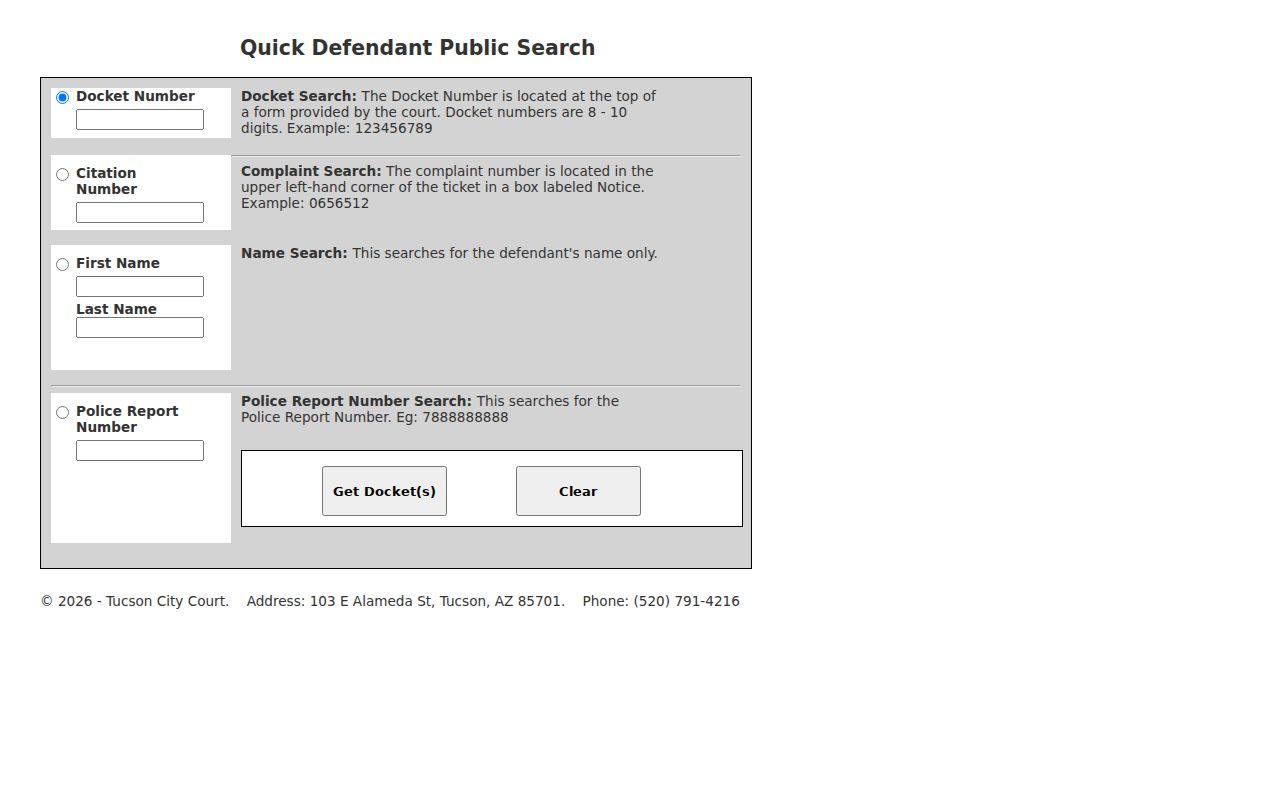
The button reads "Get Docket(s)". A name or report search can pull up more than one Tucson docket, so compare the details before you open any result.
Read a result from the header down into the event list. Check the docket number, filing court, category, and present status first, then move to party roles, charges, settings, and financial entries. A dated event description proves only that the Tucson clerk recorded an act. The full terms of the motion, order, or minute entry behind that line live in the document itself. So when exact wording matters. Note the event date and request the paper from the Tucson clerk. Protected party or event data can be suppressed. The rest of the Tucson municipal docket stays public.
| Field | Format or use | Required |
|---|---|---|
| Docket Number | 8 to 10 digits from the court form | One route |
| Citation Number | Complaint number in the ticket's Notice box | One route |
| First and Last Name | Defendant name used together | One route |
| Police Report Number | Report identifier; the portal displays a ten-digit example | One route |
Tucson Municipal Court Basics
Tucson City Court sits at 103 East Alameda Street in Tucson. Its clerk answers the phone at (520) 791-4216. The docket here covers city misdemeanors, civil and criminal traffic charges, and Tucson ordinance cases. It does not handle felonies. It also skips general civil disputes, probate, or family matters. Those cases belong elsewhere. They go to the Arizona Superior Court in Pima County.
Need hours, services, or courtroom details? The official Tucson City Court page posts what a visitor needs about the building and its clerk counter.
Official budget history calls Tucson City Court the second-largest municipal court in Arizona. It reports a historical workload near 300,000 processed cases annually. That figure comes from the cited budget period. Treat it as context, not a current annual total.
The same history describes both judicial and administrative work, from record control and computerized tracking to calendar management and enforcement of court orders. That division of labor has a practical effect. A setting question, a copy order, and a request about a filed case may land with different staff in the same Tucson court. Downtown Tucson parking is easy to find. Public lots, garages, and metered spaces are available. Rates change. Check current parking details on the Tucson official court page rather than trusting an old quoted price.
Tucson Calendar Versus Docket Search
The Quick Defendant tool and the court calendar answer different questions. Quick Search finds the Tucson municipal case. Use it to scan basic activity. The calendar is the focused route when you need a date, time, and scheduled appearance. Both systems open to you? Carry the Tucson docket number from one into the other.
A Tucson case history can hold an old setting. Review later entries for a reset, continuance, or vacated hearing. "Continued" means the event moved. "Vacated" means the Tucson court removed it. A filed continuance motion is only a request until the court grants it.
Best check: Match the newest Tucson docket entry to the current city calendar, then call the clerk if the time or room conflicts.
Court Dates and Settings in Tucson
The Tucson City Court calendar search is the city's official date tool. Read a result as a whole setting, not just a date. Confirm the time, the court location or room, the judicial officer when shown, and the purpose of the hearing.
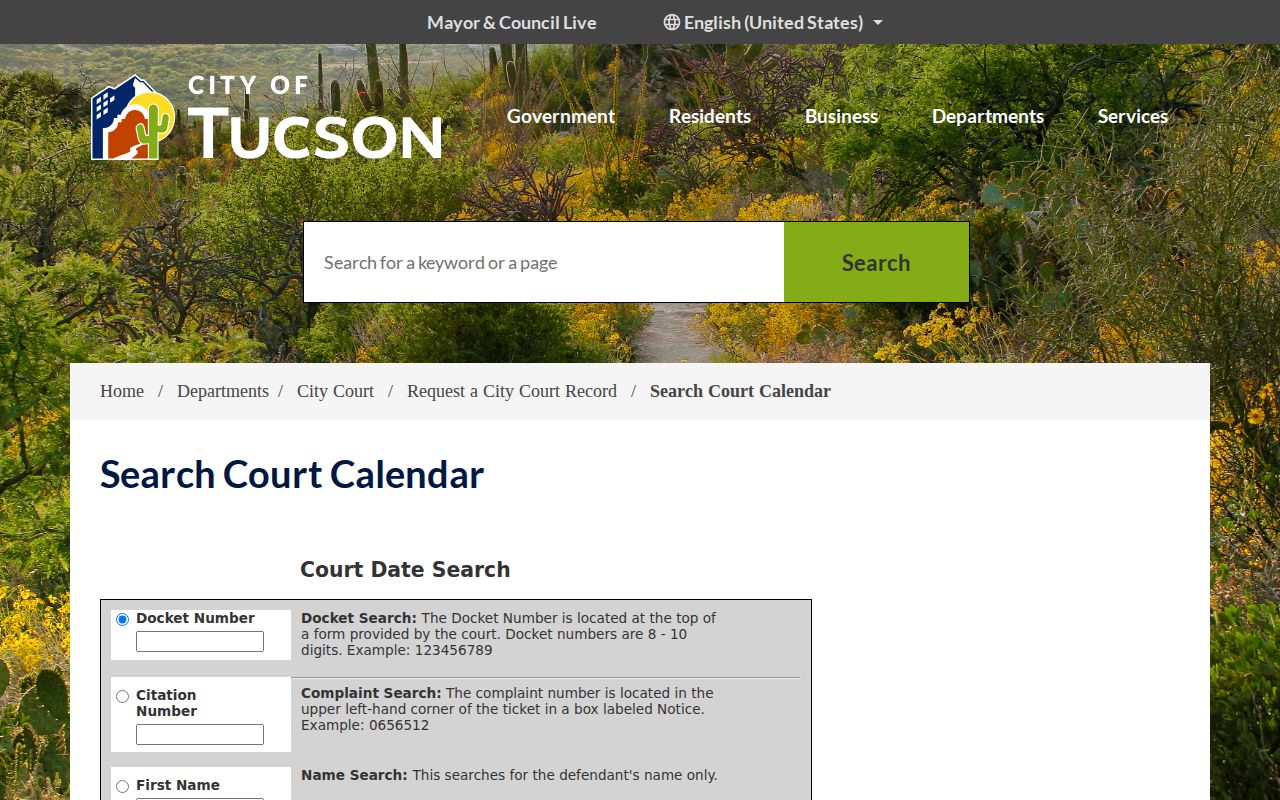
The calendar screen is a public aid, nothing firmer. When a Tucson setting changes, a current notice, a later minute entry, or direct clerk confirmation controls.
| Date | The day currently assigned to the Tucson hearing. |
|---|---|
| Time | The scheduled start or docket-call time. |
| Courtroom | The room or location listed for the city proceeding. |
| Judicial Officer | The judge or hearing officer assigned where public. |
| Setting Type | The event purpose, such as arraignment, pretrial, trial, or compliance hearing. |
Missed Tucson Docket Settings
A missed court date needs quick attention. Call Tucson City Court and ask about the case right away. An empty calendar proves nothing. The Tucson docket could hold a failure-to-appear entry, a fresh setting, an order, or some other step. That step may still demand a response. Only the city court can say where the matter stands and what to do next.
Have your details ready when you call. Give the docket number and the citation number. Give your full name as it appears on the case, plus the date you missed. Ask which new entry controls the matter now. Ask whether a written filing or an in-person appearance is required. Paying through a portal does not replace the court's instructions. A Pima County clerk at a different office cannot resolve a Tucson municipal case.
Has the setting not passed yet? Watch both the latest Tucson docket activity and the calendar. Maintenance or a data delay can also hide an entry.
Traffic Tickets in Tucson
A Tucson ticket stays in Tucson City Court. That puts it on the Tucson traffic docket rather than a county one. The ticket's Notice box holds the citation or complaint number. The appearance date printed there is your first deadline. If that number gets no result, try the docket number. The defendant-name fields are another option. So is the police-report number with Quick Search. Still stuck? Call (520) 791-4216.
Paying can settle the charge under the plea you select. Contesting takes the response or appearance the Tucson court allows. An online payment is not a hearing request. Defensive driving, diversion, or any other outcome must be approved. The rules and the deadline that fit the case control that.
The countywide Pima County Traffic Tickets page compares city and Justice Court channels. It also explains one more thing. The court case record stands apart from an Arizona MVD driver record.
Tucson Court Record Request Menu
Tucson's official request form gets unusually specific. It wants requester contact details. It also wants enough subject and case data to locate the record. Choose viewing, a printout, copies, certified copies, or a disposition or completion letter. Checkboxes narrow the order to the court papers. The Tucson court document request portal lays out all of these choices.
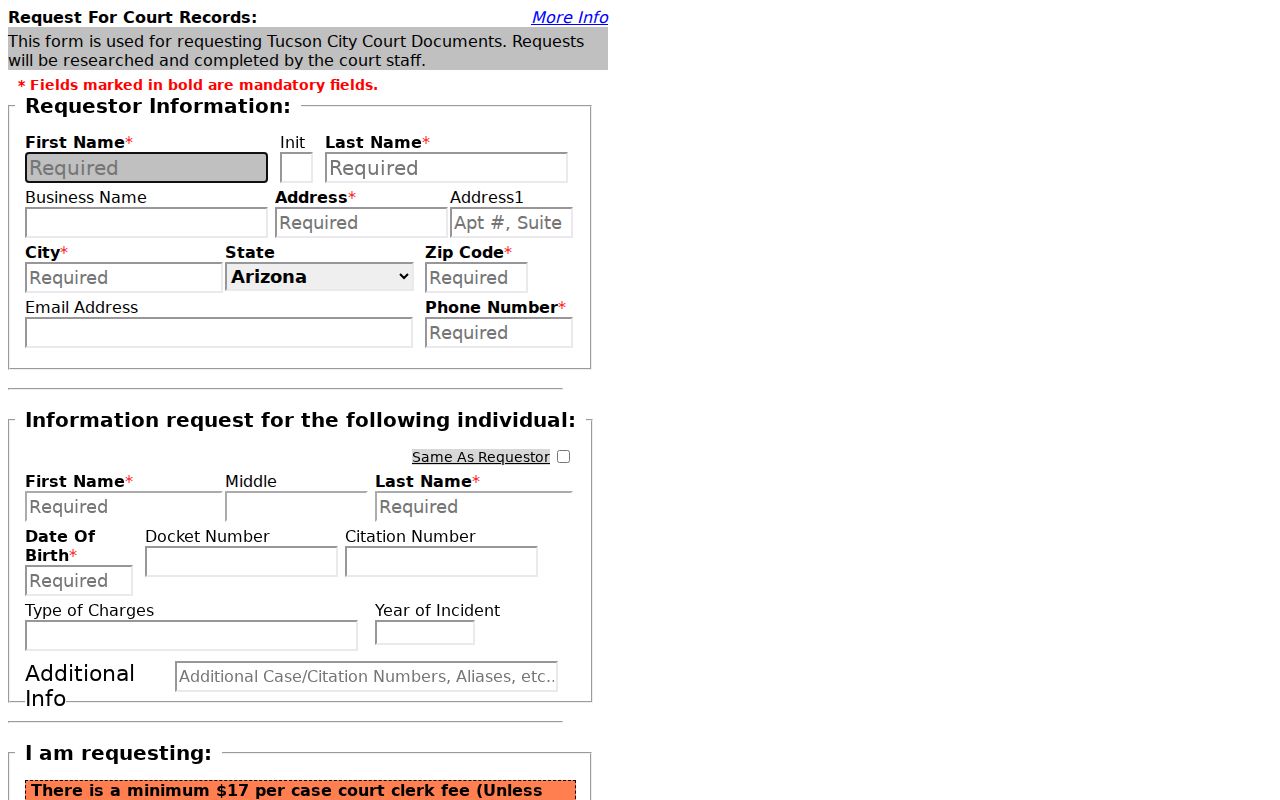
Give a docket or citation number, a charge type, and an approximate year. They spare the city clerk from guessing which Tucson record you mean.
The form separates viewing from copying. It can also flag a certified copy or a disposition or completion letter as the product. Document choices narrow an order to a complaint, a minute entry, an order, or another named paper. Pick only what is needed. Then choose a delivery method the form permits. Detail pays off here. A request for "the docket" can mean the event index, every document in the case, or one official disposition. Those are different records with different work and cost.
- Requester name, address, city, state, ZIP, and phone
- Subject name and date of birth
- Docket or citation number, charge type, and year
- View, copy, certification, or disposition-letter selection
- Requested document checkboxes and delivery choice
Where Tucson Cases Go
Tucson City Court runs a municipal case from filing through its city-level result. Felonies take a different path. So do general civil matters. Both begin in the Arizona Superior Court in Pima County. A proper appeal from Tucson City Court can open a distinct Superior Court appellate docket. Keep both court names and both case numbers. The municipal and appellate records stay separate.
Docket flow: Tucson City Court › Pima County Courts › Arizona Superior Court in Pima County
Not every Tucson case climbs upward. Most local matters stay city records. Use the Pima County court docket overview only when the case paper names Superior Court, an appeal was filed, or the city clerk confirms another office holds the record.
Tucson Docket Copies and Delivery
Expect clerk fees. The Tucson request page states a minimum of $17 per case where applicable, with copies at $0.50 per page. Ask for a current quote before paying, since the document count and requested service move the total. A web printout is not a certified Tucson record.
| Request | Tucson detail |
|---|---|
| Minimum clerk fee | $17 per case where stated |
| Copies | $0.50 per page |
| Ordinary delivery | Pickup, email, fax, or mail as the form permits |
| Certified copies | Mail or in-person pickup |
Certification is a clerk's act. No third-party result or saved screen can replace it. Tell the clerk exactly which paper you need, whether a disposition, an order, or a minute entry.
Tucson and Superior Court Records
Downtown's cluster of courthouses can trick you. Three offices sit close together. Each keeps its own records and its own clerk. Tucson City Court sits on East Alameda. Consolidated Justice Court is on North Stone, and Superior Court on West Congress. Each has its own jurisdiction too. Sharing a civic area makes none of them a substitute for another.
Tucson City Court holds the city's misdemeanor, traffic, and ordinance docket. Use Justice Court for a case filed there, including its civil traffic and lower-jurisdiction matters. The Superior Court clerk covers felony, broad civil, family, probate, and Superior Court appellate records. Statewide Public Access can help as a secondary locator. Still, it skips local ordinance charges and other protected categories.
Only an address to go on? Return to the citation, summons, minute entry, or case number. The court name printed on that paper is the best routing fact.
Tucson Court Record Access Rules
Arizona's judicial access limits still apply. Tucson municipal records are open within those bounds. The city clerk may redact protected identifiers or withhold sealed and confidential papers. Protection matters, juvenile information, health data, financial-account numbers, and victim information can all receive narrower treatment than an ordinary public Tucson docket.
Key rules:
Arizona Supreme Court Rule 123 governs public access, confidentiality, custodians, and redaction for Arizona judicial records.
A.R.S. §39-121.01 sets public-record maintenance and request duties used in local request practice.
Arizona Supreme Court Rule 122 controls recording devices in court proceedings, including remote hearings.
No online entry does not mean no case exists. Some Tucson dockets live only on paper, so ask the clerk whether an in-person inspection is allowed. Certified copies come from the court that keeps the file.